Reading Life
8 Ways Technology Makes Reading Easier (2026)
"Technology is ruining reading" is one of those claims that feels true and mostly isn't. Screen time and books aren't actually competing the way people assume — for a huge number of readers, technology is the entire reason they're still reading at all. A library card that used to require a drive across town now lives on a phone. A font too small to read comfortably is now one pinch-zoom away from fixed. Below are eight concrete ways tech has quietly made reading easier, not harder, for almost everyone who reads.
One upgrade that changes everything
If you only make one change, get a dedicated e-reader like the Kindle Paperwhite and pair it with the free Libby app for library ebooks and audiobooks. That combination alone — adjustable type, warm light, and free books from your own library card — solves more reading friction than almost anything else on this list. See our full e-reader comparison for other options.
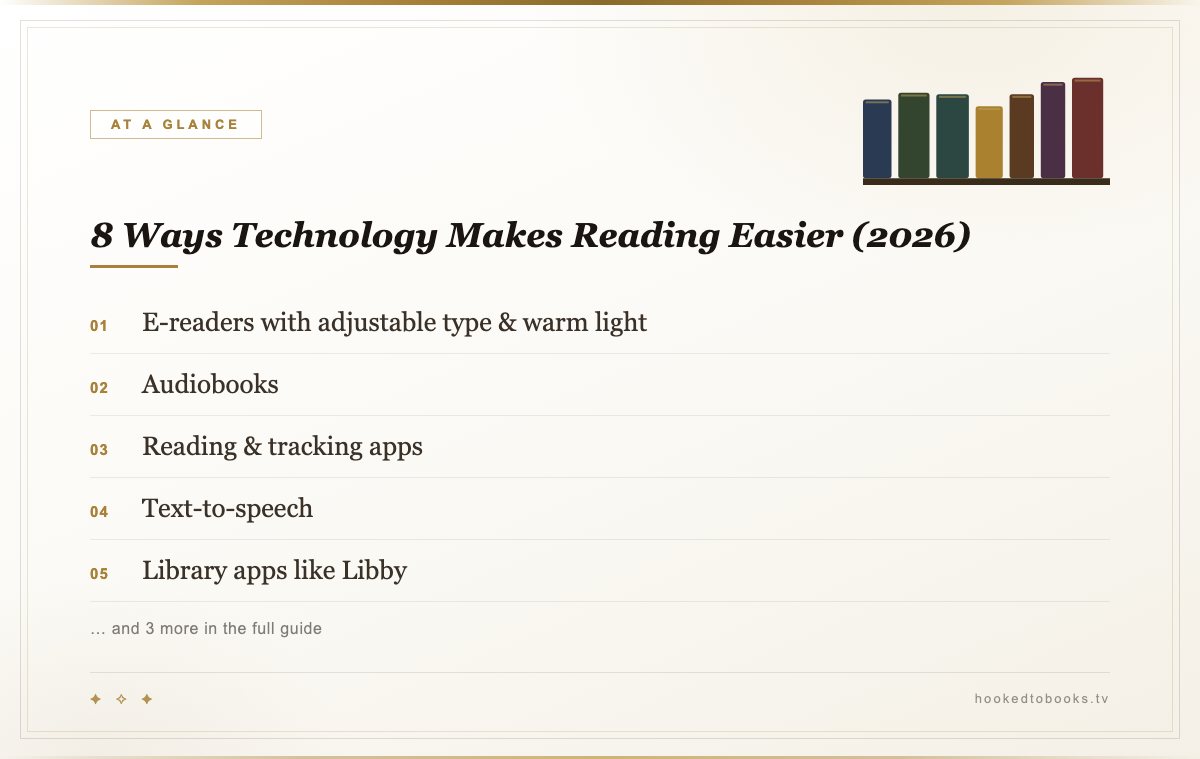
The 8 Ways, At a Glance
1. E-Readers With Adjustable Type & Warm Light
A dedicated e-reader solves two problems phones and tablets can't: the e-ink screen reflects light like paper instead of emitting it, which is dramatically easier on tired eyes over a long session, and every book on the device can have its font size, weight, and line spacing adjusted instantly. The Kindle Paperwhite and Kobo Clara Colour both add adjustable warm light for reading after dark without the blue-light glare of a phone screen.
See the full e-reader comparison →
2. Audiobooks
Audiobooks turned commutes, chores, and workouts into reading time for people who otherwise wouldn't have had a spare minute for a physical book. Apps like Audible and Libro.fm sync your place across devices automatically, and most support variable playback speed, so a book that would take eight hours to listen to at 1x can be finished in six at 1.25x without losing comprehension for most listeners.
3. Reading & Tracking Apps
Goodreads and The StoryGraph both let readers log books, set yearly goals, and get recommendations based on actual reading history instead of generic bestseller lists. The StoryGraph in particular tags books by mood and pace (dark, hopeful, fast-paced, slow-burn) which is a genuinely useful upgrade over star ratings alone when you're trying to match a book to how you actually feel that week.
4. Text-to-Speech
Built-in screen readers like VoiceOver (iOS/Mac) and TalkBack (Android) can read ebooks and articles aloud for free, and dedicated apps like Speechify add more natural-sounding voices and adjustable speed on top. This is one of the single biggest accessibility upgrades of the last decade for readers with dyslexia, low vision, or anyone who simply retains information better by ear.
5. Library Apps Like Libby
Libby (run by OverDrive) connects to your local library card and lets you borrow ebooks and audiobooks instantly, no trip to the branch required. It's completely free, works on nearly every e-reader and phone, and for a lot of readers it's quietly become the actual way they discover most of what they read — not because it's flashy, but because zero-friction borrowing beats a to-buy list every time.
6. Synced Notes & Highlights
Kindle highlights sync automatically to your Amazon account and show up searchable on kindle.com/notes, and note-taking tablets like the reMarkable Paper Pro let you annotate directly on the page in a way that used to only be possible with a physical pencil and a physical book. For readers who reread favorite passages or pull quotes for book club, this alone is worth th e upgrade from paper.
7. Dyslexia-Friendly Fonts & Display Settings
Most modern e-readers let you switch to a dyslexia-friendly typeface (OpenDyslexic-style fonts with heavier bottoms on letters to reduce flipping), widen letter and line spacing, and adjust contrast — all changes that were simply impossible with a printed page. These settings don't fix dyslexia, but they measurably reduce the friction that makes reading exhausting for a lot of readers who'd otherwise avoid books altogether.
8. Large-Format, Low-Glare E-Ink Displays
Bigger e-ink devices like the Boox Palma 2 and larger tablets in the Kindle Colorsoft line give aging eyes and low-vision readers more page real estate without sacrificing the glare-free comfort of e-ink. For readers who gave up on paperbacks because the print got too small, a large-format e-reader with adjustable text is often the thing that brings them back to reading regularly.
Technology & Reading FAQ
Does technology actually help people read more?
For most people, yes — the biggest gains come from removing friction. A library app that puts a book on your phone in 30 seconds, or an e-reader that lets you bump the font size up, removes the small barriers that used to stop a reading session before it started.
What is the best app for tracking books you read?
Goodreads is the largest and most integrated with Amazon/Kindle, while The StoryGraph has become the preferred option for readers who want mood- and pace-based recommendations instead of just star ratings. Either works well for a basic reading log.
Do e-readers really reduce eye strain?
E-ink displays reflect light like paper instead of emitting it like a phone or tablet screen, which is why they cause noticeably less eye fatigue during long reading sessions. Adjustable warm-light modes add a second layer of comfort for reading after dark.
Are audiobooks "real reading"?
Comprehension research generally shows listening and reading engage very similar language-processing pathways in the brain — the format is different, but the story lands the same way. For readers with dyslexia, low vision, or simply no spare hands during a commute, audiobooks aren't a lesser version of reading; they're the version that actually gets used.
More Reading Gear & Life Guides
None of this replaces a good book — it just clears out everything that used to get in the way of finishing one.
Want a free set of printable bookmarks?
We made a set for readers who actually finish their TBR pile. Print at home, cut, and slip one into whatever you're reading tonight — totally free.
Get the free bookmarks →As an Amazon Associate, we earn from qualifying purchases.