Reading Gear
The Best E-Book Readers for Every Kind of Reader (2026)
The e-reader market looks confusing and isn't. There are really only three questions, and once you've answered them the right device is usually obvious: Where do your books come from? Do you write on them? Do you need color? Everything else — screen resolution, page-turn buttons, waterproofing — is a preference, not a decision.
The first question is the one that decides most purchases, and it's the one Amazon's marketing is least eager to help with. If you buy your books, the Kindle ecosystem is excellent and the hardware is the best value in the category. If you borrow heavily from your public library, a Kobo is meaningfully better, because Libby borrowing is built into the device rather than routed through a browser and a third-party sync. That single fact reshuffles this entire list depending on who you are.
Here are nine e-readers worth considering in 2026, with an honest note on who each one is actually for.
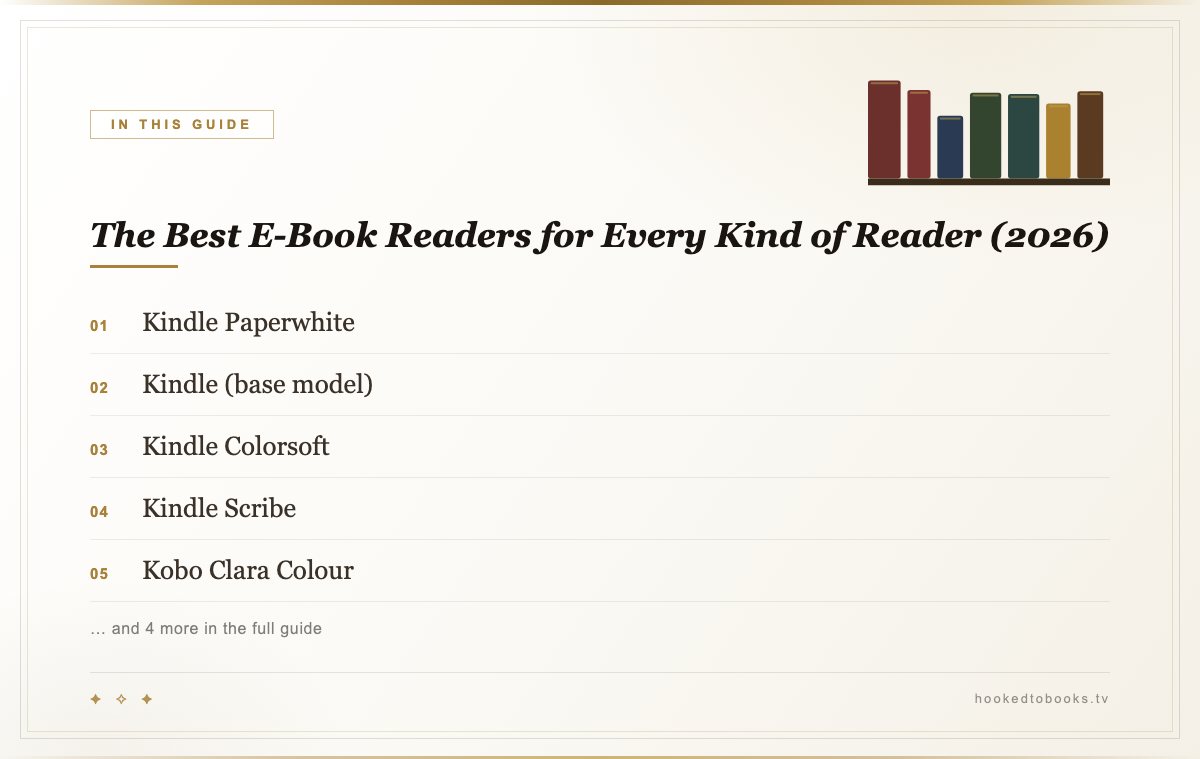
At a Glance: 9 E-Readers Worth Buying
The Kindles
Amazon's advantage isn't the hardware, though the hardware is good. It's that the whole chain — buying, syncing across phone and device, Whispersync picking up your audiobook where you left off reading — works without you thinking about it. The cost is a closed store: Kindle books are Kindle books, and moving a library out later is a project rather than a click.
Kindle Paperwhite
The right answer for most people, and it has been for several generations now. A 7-inch 300ppi screen, an adjustable warm front light that goes properly amber for night reading, waterproofing that means you can read in the bath without a plastic bag, and a battery measured in weeks. There is no compelling reason to spend more unless you have a specific need from the list below.
Kindle (base model)
The cheapest way into a genuinely good reading device. Same 300ppi sharpness as the Paperwhite in a smaller, lighter body — the compromises are a slightly smaller screen, no waterproofing, and a front light that's white rather than adjustably warm. That last one matters if you read in bed; if you mostly read on a commute, it doesn't, and you've saved real money.
Kindle Colorsoft
Amazon's colour E Ink model, and worth being clear-eyed about: colour E Ink is muted, not vivid — think coloured pencil rather than a phone screen. That's fine, because the use cases are book covers, highlights in different colours, comics, and cookbooks, all of which it handles well. If you read plain prose, you're paying for something you'll notice for a week and then forget.
Kindle Scribe
A 10.2-inch Kindle you can write on with an included pen — margin notes inside books, plus a genuinely good notebook. It is large and it is not a one-handed bedtime device; it's for people who read nonfiction with a pen in hand and want the notes searchable afterwards. If that's not you, the extra screen is a burden rather than a feature.
The Kobos: Buy These If You Use Your Library
Kobo's pitch is openness. The devices read EPUB natively — the standard format the rest of the publishing world uses — and OverDrive/Libby borrowing from your public library is integrated into the device itself. You search your library's catalogue, borrow, and the book appears. On a Kindle, library borrowing works but routes through a browser and a delivery step, and in some regions not at all.
If you're the kind of reader who goes through six library books a month, this difference is worth more than any spec on the box.
Kobo Clara Colour
The Paperwhite's direct competitor and the best-value Kobo. Six-inch colour E Ink screen, adjustable warm light, waterproof, native EPUB, Libby built in. Slightly smaller and slightly slower than a Paperwhite; considerably more useful if your books are borrowed rather than bought.
Kobo Libra Colour
The best-feeling e-reader to actually hold. The asymmetric body gives you a proper grip on one side with physical page-turn buttons under your thumb, and the screen rotates so left-handers aren't an afterthought. It also takes a stylus for margin notes. If you read for hours at a time, the ergonomics justify the step up from the Clara more than any screen spec would.
Kobo Elipsa 2E
The 10.3-inch Kobo, and the one to get for PDFs specifically — academic papers, sheet music, technical manuals — because a full-page PDF on a 6-inch screen is a miserable experience no amount of reflow fixes. Comes with a stylus. Same Libby integration as the rest of the line.
The Odd Ones
Boox Palma 2
An E Ink device the size and shape of a phone, running Android — which means it installs Kindle, Kobo, Libby, and anything else, and slips into a jacket pocket. It's the answer for readers who want to replace the phone-in-the-queue habit with a device that can't show them a feed. Battery life and refresh are worse than a dedicated Kindle; freedom and portability are much better.
reMarkable Paper Pro
Included with a caveat: this is a writing device that reads, not a reading device that writes. The writing feel is the best of anything here and the note-taking software is excellent, but the library management is thin and it's an expensive way to read novels. Buy it if you want a paper notebook replacement and occasionally read PDFs on it — not the other way round.
How to Choose in Under a Minute
You buy your books and want it simple. Kindle Paperwhite. Done.
You borrow from the library constantly. Kobo Clara Colour, or the Libra Colour if you read long enough that grip matters.
You read nonfiction with a pen. Kindle Scribe if your library is on Amazon; Kobo Elipsa 2E if it isn't or if PDFs are a big part of it.
You want to stop reaching for your phone. Boox Palma 2, because the form factor is the point.
You're not sure you'll use it. The base Kindle. It's cheap enough to find out, and good enough that you probably will.
One spec worth arguing about: front-light warmth. Every device here except the base Kindle can shift toward amber at night, and it's the feature you'll notice most in daily use — a warm screen at midnight is the difference between reading yourself sleepy and reading yourself awake. It's the same logic behind picking a warm book light over a bright one.
More Reading Gear
Whichever you pick, the device stops mattering about four pages in — which is the highest compliment you can pay a piece of reading hardware.
Want a free set of printable bookmarks?
We made a set for readers who actually finish their TBR pile. Print at home, cut, and slip one into whatever you're reading tonight — totally free.
Get the free bookmarks →As an Amazon Associate, we earn from qualifying purchases.